
Hi
In a previous post https://www.raktres.net/blog/2022/01/28/sharing-patterns/ I explained how to share patterns.
Since this post, I added a way to locally save patterns on your computer. You can use it to save you drafts in “inkle” and “grid” tools. I will think about adding this function to “heddle” and “tablet” tools.
In the «Load, Save, Export» left menu, there is now a button to save your patterns on your computer.
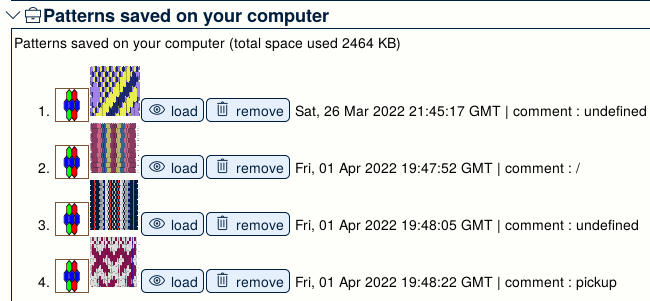
The saved patterns appear at the bottom of the pattern page
Don’t forget to share some patterns from time to time to show your work.
EDIT 26/01/2026
Down the list, there are two buttons. One to download your patterns in a file. And the other to extract patterns from a file.

Use them for your backups.